
Canon and iPhone
Canon EOS R3 to iPhone over USB-C: the settings that work on the street

The EOS R3 is the body StreetKit was built on, so this is the one camera where every setting below has been proven on a real walk rather than read in a manual. If you shoot an R3, this page is the set-up. If you shoot another EOS R, almost all of it carries over.
The settings, in menu order
- Wrench, Communication settings, Wi-Fi: off. Bluetooth: off. The R3 will not serve pictures over USB while Wi-Fi is active. There is no warning. The phone just never sees a camera.
- Wrench, Communication settings, USB connection app: Photo Import / Remote Control. On older firmware the item is called Select USB connection app. Do not pick Camera Connect or EOS Utility.
- Red menu, Image quality. Set a JPEG or HEIF size next to RAW, or shoot JPEG or HEIF alone. The phone shows the JPEG or HEIF. A RAW-only card gives the phone a file it cannot display. Large or Medium JPEG is plenty; the phone copies it in a second or two either way.
- Wrench, Power saving, Auto power off: long, or Disable. When the R3 sleeps the USB session drops, and the next shot after it wakes may be missed while the phone reconnects. On a long walk, Disable and carry a spare battery.
- Record function and card selection: either. Both slots are watched. If you record RAW to one card and JPEG to the other, the phone takes the JPEG.
Check Wi-Fi after every firmware update. It is the setting most likely to come back on, and the one with no error message when it does.
Plugging in
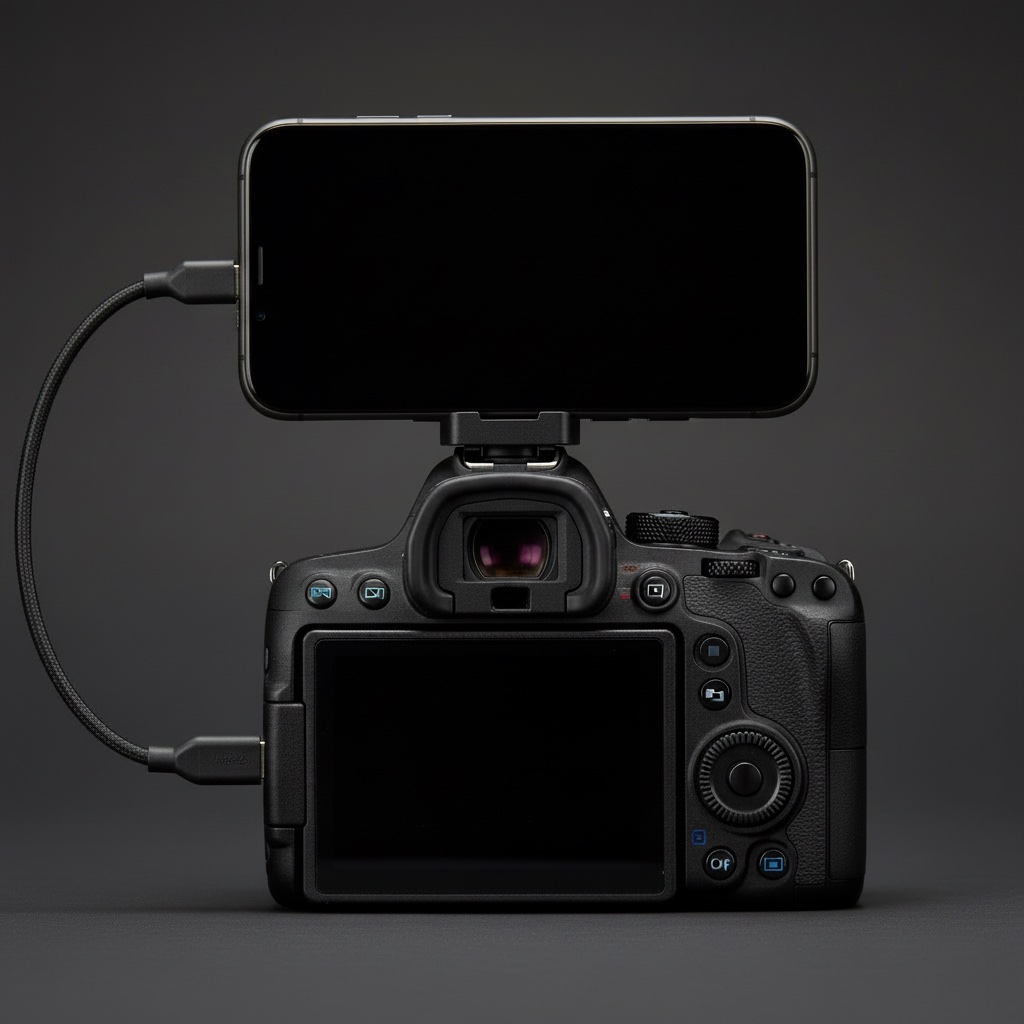
Camera on first, then the cable into the R3's USB-C port on the left side, then the iPhone. iOS may ask to allow the accessory; allow it. With StreetKit open, the footer goes from Waiting for camera to Connecting to Getting ready, then a green dot. The order does not matter much: plug in before or after opening the app.
"Getting ready" is the camera telling the phone where it writes next. On an R3 with a full card that is a few seconds, not the minutes a whole-card read would take, because the phone does not read the card. It learns only the next slot the camera will write to and waits for the shutter.
What happens per shot
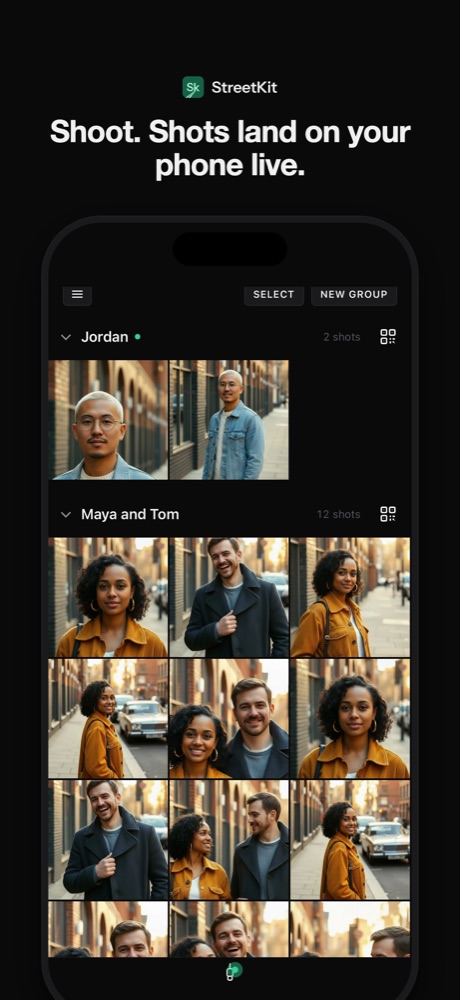
The shutter fires, the R3 writes the file and announces it over the cable, the phone pulls it. One file at a time, in order. A burst of fifteen takes a few seconds to drain and a counter shows how many are still coming. Each shot goes into the app's grid and into a Street album in Photos, unless you turn that off.
Things the R3 does that other bodies do not
- Two slots. Both are watched. Mixed RAW and JPEG across slots works.
- Big cards. Thousands of files on a card do not slow the connection, because the phone never indexes the card.
- Movies. Skipped on purpose, so a long clip never blocks the queue of stills behind it.
Settings that are nothing to do with the cable, but help
- Eye detection on, Servo AF, a single zone you can move with the stick. A street portrait is usually one person at two metres; the R3's eye tracking will hold them.
- Fv or Av with Auto ISO and a minimum shutter speed of 1/250. The settings guide has the reasoning.
- HEIF instead of JPEG if you shoot in HDR PQ. The phone displays HEIF natively and the files are smaller.
Known limits
- Only shots taken while connected and ready come over. No card import.
- The few seconds before the green dot are not caught.
- Unplugging mid-transfer loses the shot that was in flight. The app says so. It is still on the card.
Questions people ask
Does the R3 need a specific cable?
Any USB-C to USB-C cable that carries data. Canon's IFC-100U is the official one. Short is better: 30 cm is enough from the side port to a phone on the hot shoe.
Can the iPhone trigger the R3 shutter?
No. iOS does not expose remote capture over USB, so there is no app on an iPhone that can fire the camera over the cable. You shoot with the camera, the phone catches.
Will it work with the R3 set to HEIF?
Yes. HEIF shots display and save on the iPhone like any other photo.
Keep reading
 Canon and iPhone
How to tether a Canon to an iPhone over USB-C
The cable, the one camera menu that matters, and the two ways shots can land on the phone.
Canon and iPhone
How to tether a Canon to an iPhone over USB-C
The cable, the one camera menu that matters, and the two ways shots can land on the phone.
 Canon and iPhone
Canon "USB connection app": which setting to pick, and why the iPhone sees nothing
The one menu item that decides whether an iPhone sees your Canon, and what each option does.
Canon and iPhone
Canon "USB connection app": which setting to pick, and why the iPhone sees nothing
The one menu item that decides whether an iPhone sees your Canon, and what each option does.
 Canon and iPhone
RAW, JPEG or HEIF when the camera is tethered to a phone
An iPhone cannot show a CR3. What to set so the phone gets something, the HEIF option, and keeping RAW for the edit.
Canon and iPhone
RAW, JPEG or HEIF when the camera is tethered to a phone
An iPhone cannot show a CR3. What to set so the phone gets something, the HEIF option, and keeping RAW for the edit.
 On the street
Street portrait camera settings that work in twenty seconds
Av at f/2.8 to f/4, 1/250 minimum, Auto ISO, eye detection on. Why, and where it is in the Canon menu.
On the street
Street portrait camera settings that work in twenty seconds
Av at f/2.8 to f/4, 1/250 minimum, Auto ISO, eye detection on. Why, and where it is in the Canon menu.