
Canon and iPhone
How to tether a Canon to an iPhone over USB-C
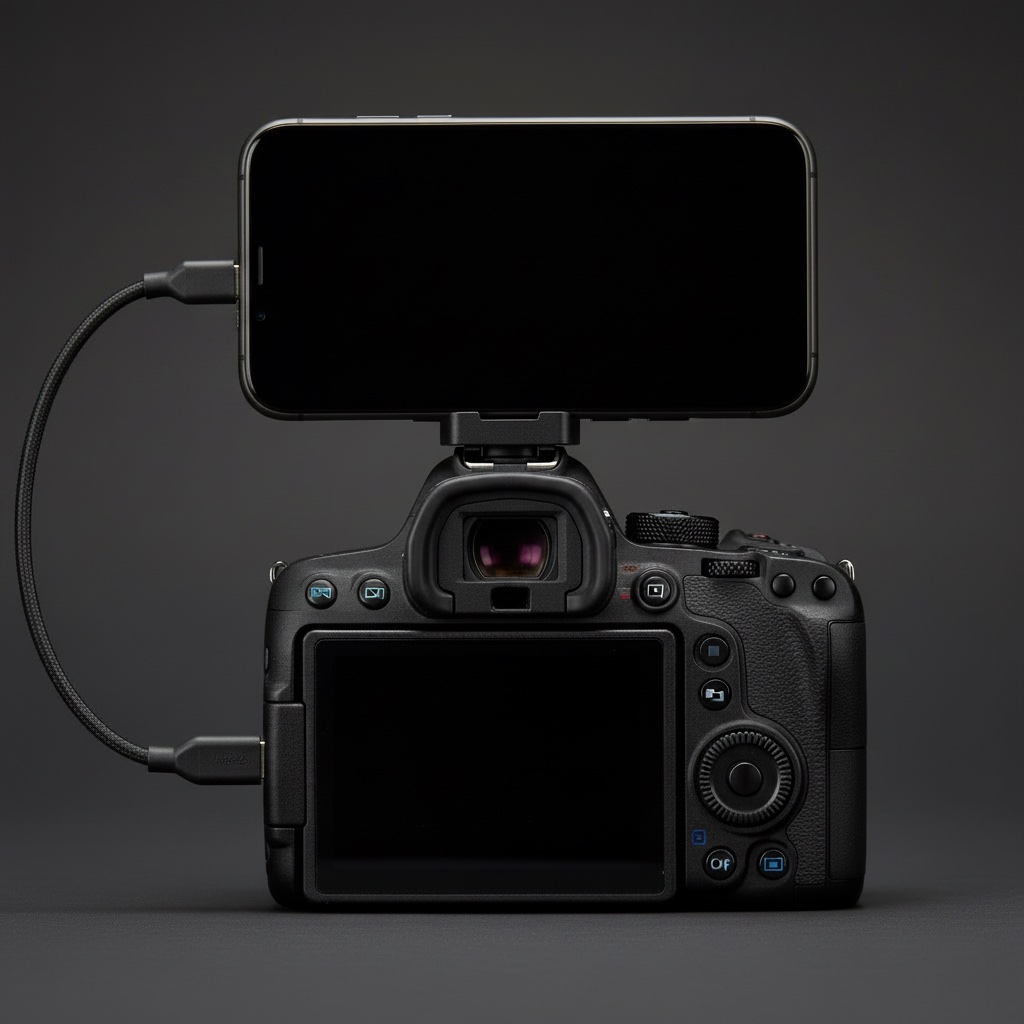
A Canon and an iPhone will talk over a plain USB-C cable. No Wi-Fi pairing, no Canon account, no laptop. Most people never find out because the setting is three menus deep and the cable in the drawer is the wrong kind. Here is the whole thing.
What you need
- A Canon that offers a USB connection app setting. On the EOS R3, R5, R6 Mark II, R7, R8, R10 and R50 it is in the wrench menu. The EOS R100 has no wired phone mode at all, Canon says so in its manual. The camera list goes body by body.
- An iPhone with a USB-C port, so an iPhone 15 or newer, on iOS 16.4 or later. Older Lightning iPhones need Apple's Lightning to USB Camera Adapter and a USB-A cable, and that combination is slower and fussier. Everything below assumes USB-C.
- A USB-C to USB-C cable that carries data. This is where most attempts die. A lot of cables that came with chargers are power only. If nothing happens when you plug in, swap the cable before you touch another setting. Canon's own IFC-100U works. So does any short cable sold as USB 3 or "data" by a brand you have heard of.
Set up the camera once
- Wrench menu, Communication settings (on some bodies, Wireless settings). Turn Wi-Fi off and Bluetooth off. A Canon that has Wi-Fi running will not serve pictures over USB. This one line costs people an afternoon.
- Same tab, USB connection app (older firmware says "Select USB connection app"). Choose Photo Import / Remote Control. Not Camera Connect, not EOS Utility. The setting explained covers what each option actually does.
- Image quality: shoot JPEG or HEIF, on its own or next to RAW. An iPhone cannot open a Canon CR3 file, so a RAW-only card gives the phone nothing to show. RAW, JPEG or HEIF for tethering has the trade-offs.
- Auto power off: set it long, or off. When the camera sleeps the USB session drops and the phone has to reconnect.
Leave the settings there. None of this stops the camera working normally. The USB mode only matters while something is plugged in.
Way one: the Photos app (built in, after the fact)
Plug the camera into the iPhone and open Photos. An Import tab appears at the bottom right, and the card's contents show up as a grid. Pick shots, tap Import, done. This is what Canon's manuals describe, and for a day out where you want everything on the phone that evening it is fine.
What it does not do: anything while you are shooting. The card is read as a whole, which on a full card takes a while, and you pick shots by hand afterwards. Nobody standing in front of you is going to wait for that.
Way two: live, as each shot is taken
This is the part Canon's apps do not offer over a cable, and the reason StreetKit exists. The camera stays plugged in while you shoot. Each time the shutter fires the new file is pulled over the cable, lands at the top of a grid on the phone and is saved to a Street album in Photos, usually before you have brought the camera back up. You keep shooting. The phone keeps catching.
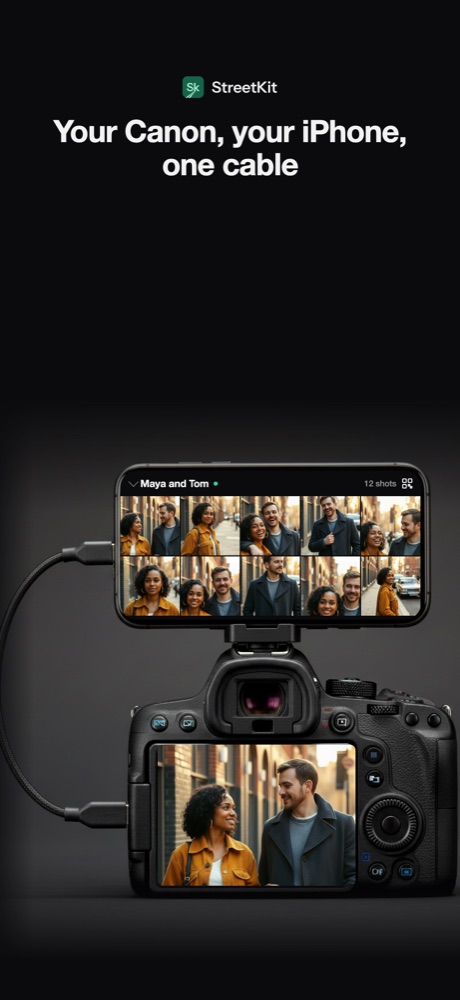
What it is honest to say about the live way:
- Only shots taken while connected and ready come over. It does not import the card. Shots from before you plugged in stay on the card.
- Files come over one at a time. A ten-shot burst takes a few seconds to drain, and a counter on the phone shows how far behind it is.
- It shows the JPEG or HEIF. RAW files can be kept too, but they appear without a preview.
Mounting the phone so you can see it
A phone in your pocket gets nothing out of a live feed. The setup that works is a MagSafe mount with a cold-shoe foot in the camera's hot shoe, the phone in landscape, and a cable short enough that it never swings into the lens. The mount and cable guide lists what to buy.
If the phone sees nothing
- Cable first. Try the one that charges your laptop.
- Wi-Fi off on the camera. Check again, some bodies turn it back on after a firmware update.
- USB connection app set to Photo Import / Remote Control.
- Unplug, wait five seconds, plug in with the camera already on.
- The iPhone may ask you to allow the accessory. Allow it. On the first run an app also asks for permission to read the camera. Allow that too.
Questions people ask
Does tethering over USB drain the camera battery?
A little. The camera is serving files instead of sleeping, so expect to lose a few more percent per hour than usual. The iPhone does not charge the camera, and the camera does not charge the iPhone.
Can I use a Lightning iPhone?
With the Lightning to USB Camera Adapter and a USB-A cable, Photos import works. Live tethering through that adapter is not something StreetKit has tested, so treat it as unsupported until it is.
Do I still need the Canon Camera Connect app?
No. Camera Connect is for Wi-Fi and Bluetooth. Over a cable the camera speaks a standard called PTP that iOS understands on its own, so there is nothing to install on the camera side.
Will this work with a Sony or a Nikon?
Photos import works with most cameras that speak PTP over USB. StreetKit is built and tested on Canon, and only Canon is supported today.
Keep reading
 Canon and iPhone
Canon "USB connection app": which setting to pick, and why the iPhone sees nothing
The one menu item that decides whether an iPhone sees your Canon, and what each option does.
Canon and iPhone
Canon "USB connection app": which setting to pick, and why the iPhone sees nothing
The one menu item that decides whether an iPhone sees your Canon, and what each option does.
 Canon and iPhone
Which Canon cameras connect to an iPhone over USB
EOS R3, R5, R6, R8, R50 and the rest: which bodies talk to an iPhone over a cable.
Canon and iPhone
Mounting an iPhone on a camera hot shoe: the mount, the cable, the length
MagSafe cold-shoe mounts, which USB-C cable, how long, and keeping it out of the lens.
Canon and iPhone
Which Canon cameras connect to an iPhone over USB
EOS R3, R5, R6, R8, R50 and the rest: which bodies talk to an iPhone over a cable.
Canon and iPhone
Mounting an iPhone on a camera hot shoe: the mount, the cable, the length
MagSafe cold-shoe mounts, which USB-C cable, how long, and keeping it out of the lens.
 Canon and iPhone
RAW, JPEG or HEIF when the camera is tethered to a phone
An iPhone cannot show a CR3. What to set so the phone gets something, the HEIF option, and keeping RAW for the edit.
Canon and iPhone
RAW, JPEG or HEIF when the camera is tethered to a phone
An iPhone cannot show a CR3. What to set so the phone gets something, the HEIF option, and keeping RAW for the edit.